
International Payment Information
* We are unable to accept Canadian Money Orders*
- Payment through Western Union GlobalPay for Students
- Payment through PayMyTuition
- Payment through Flywire
Western Union GlobalPay for Students
St. Lawrence University and Western Union GlobalPay for Students have partnered through Transact to provide a convenient way for you to make payments for your tuition and other fees. This allows you to pay in your home currency, either online or by bank transfer, with competitive exchange rates and takes the stress and uncertainty out of paying for your tuition. (Institution) does not accept overpayments on student accounts. Please transfer only the amount due on your student account to avoid payment delays.
- Introducing WU® GlobalPay for Students Price Promise*.
*Disclaimer: If you find a lower price from your bank, we will match it. Email pricepromise@westernunion.com with GlobalPay for Students reference plus screenshots of the quote from your bank. Terms and Conditions apply.
- When you make a payment via Transact and Western Union GlobalPay for Students you can choose from a wide selection of payment methods that are popular in your home country including WeChat Pay, ALIPAY, UnionPay, ChinaPay, INR Bank, and many more.
Benefits of Western Union GlobalPay for Students:
- Pay tuition in your local currency.
- Pay online from your mobile, tablet, desktop devices or by bank transfer.
- Rest assured knowing your payments are received in full by St. Lawrence University
- Track your payment every step of the way with status updates by text or email.
How to make a payment?
- Login to your student portal to view account balance
- Select make a payment.
- Select payment method: Foreign currency. *You will be directed to WU® GlobalPay for Students.
- Select the country where you’re paying from, the amount due and click get a quote.
- Select the payment method – Wire, Credit Card or Mobile/Online Payment – WeChat, ALIPAY or other.
- Provide student details.
- Provide payer details - Who will be making this payment? Check Use of Terms box and proceed to payment.
- Print Instructions for wire payment or Log in payment provider. Notify me by SMS (tracking payment/optional).
- Complete your student payment online or in-person.
Need Help?
US & CA: Visit our FAQ page for guidance on frequently asked questions, alternatively please email studentinquiries@westernunion.com or call +1877 218 8829 .
PayMyTuition
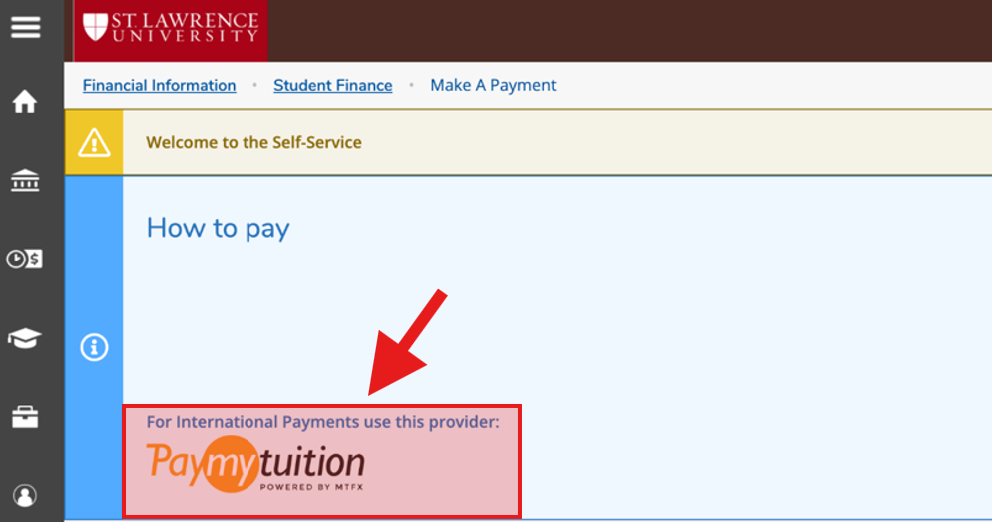
St. Lawrence University has partnered with PayMyTuition for international tuition payments. With PayMyTuition, you can pay your tuition payments from any bank, in any country in any currency at better than bank exchange rates. PayMyTuition is fast, simple, and cost effective.
International payment options include:
| Payment method | Estimated time for payment confirmation |
|---|---|
| Bank transfers | 2-10 business days** |
| Debit and Credit cards in your home currency | 2-3 business days |
| eWallet payments | 2-3 business days |
| Plus, other local options (if available) | 2-3 business days |
**Anticipated timelines vary depending on the country.
How to make an international payment
Payers can access the PayMyTuition portal directly by clicking the ‘Pay Now’ button below:
Alternatively, students can log into the Self-Service Student Portal. Access the Student Finance section and choose PayMyTuition. You will be redirected to the PayMyTuition portal to initiate your payment.
Additional Information on PayMyTuition:
PayMyTuition’s Rate Guarantee for International Payers
Step-by-Step Payment Instructions (translated PDFs)
To support you with using PayMyTuition, you can download these helpful step-by-step PDF instructions, translated into several languages:
- English
- French
- Spanish
- Portuguese
- Vietnamese
- Japanese
- Korean
- Simplified Chinese/Traditional Chinese
- Arabic
- Punjabi
- Hindi
- Farsi
- Turkish
- German
- Swedish
- Dutch
Need Assistance?
Connect with PayMyTuition directly by calling 1.855.663.6839 (toll-free) or through one of their local country contact numbers.
You can also reach PayMyTuition Support at support@paymytuition.com or through their support page.
Flywire
St. Lawrence University also accepts Flywire as a way for you to make payments for your tuition and other fees.