Student Record Release in APR2
We’re pleased to announce a new feature in our student self-service advising, planning, and registration system (APR2). Effective August 1, 2026, all students will grant their own permission to specific individuals by completing the Student Records Release form in APR2, for whom they would like to enable access to information in their student record.
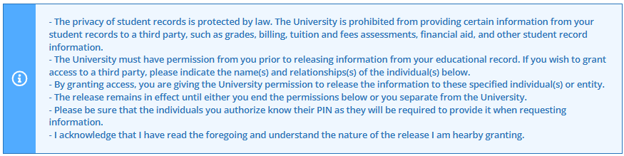
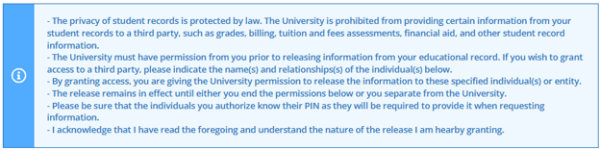
The privacy of student records is protected by law. The University is prohibited from providing certain information from your student records to a third party, such as grades, billing, tuition and fees assessments, financial aid, and other student record information.
The University must have permission from you prior to releasing information from your educational record.
Follow the steps below to complete your Student Records Release form in APR2.
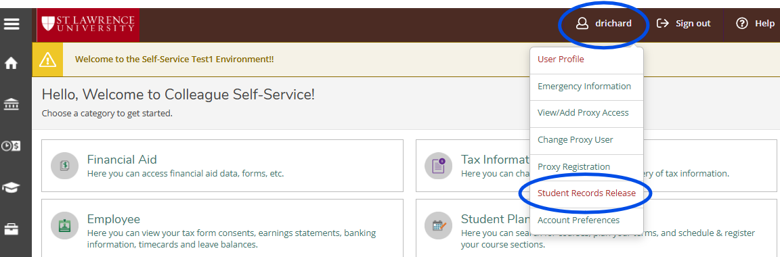
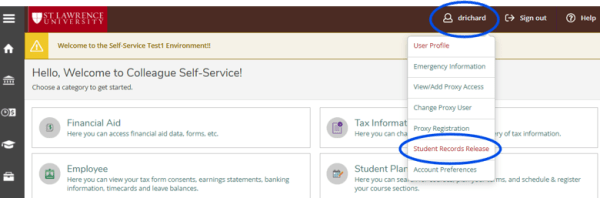
From your student profile in the upper-right, use the drop-down to select "Student Records Release."
Be sure to read the informational paragraph at the top of the screen for a full explanation of WHY we ask for these permissions and HOW they work for you.
- You will be asked to:
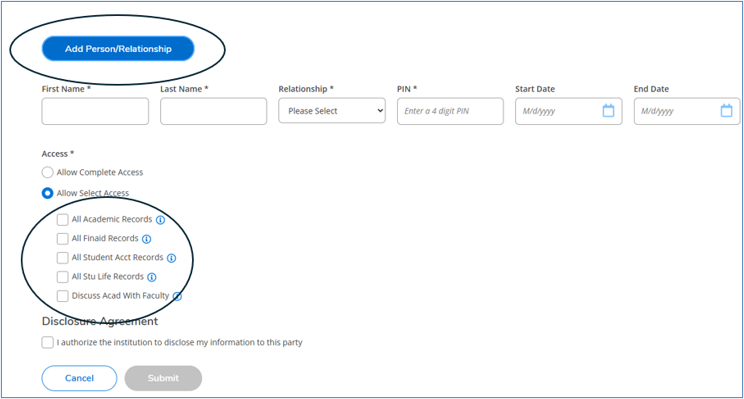
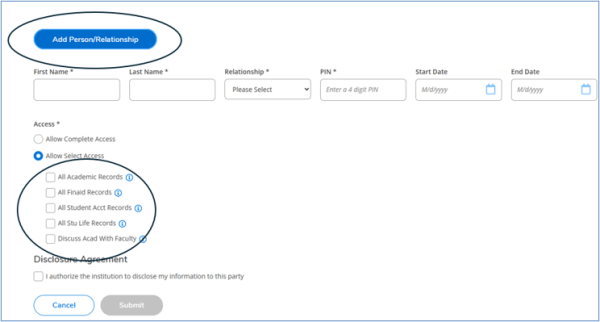
- Add a person (one or more) to your Student Records Release form, including their name and relationship with you (options in a drop-down menu).
- Create a four-digit PIN that you will share with that individual and include the start date (end date not required).
- Either check "Allow Complete Access" or allow selected access by checking only those boxes to which an individual should have access. You can provide different levels of access for each individual you include on your form
- Hover over the blue information icon to get more details about what is included in each type of access.
Complete the form at the bottom by checking the box to acknowledge the access you just granted.
- If you do not complete the form or if you select "Deny access to all," no access will be granted to your record. If you make this choice, please inform your family/guardian so that they are aware of your decision.
- You can update access on your APR2 record at any time.