
You can assign a delegate in Microsoft Teams to make and receive calls on your behalf. When someone is set as your delegate, they share access to your phone line—allowing them to see incoming calls and place calls on your behalf.
Adding a delegate
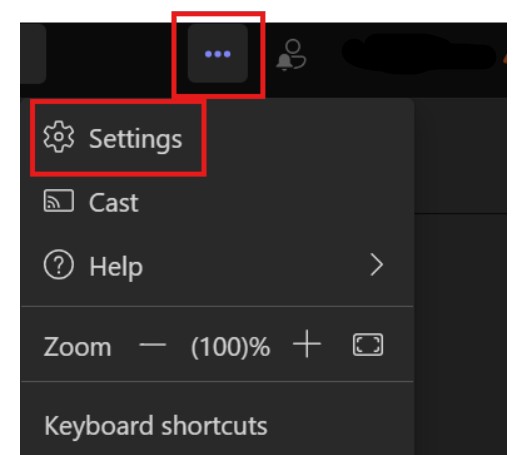
- At the top, open the menu in Microsoft Teams by selecting ... > Settings
- Under Calls, go to Manage delegates section and choose Add a delegate
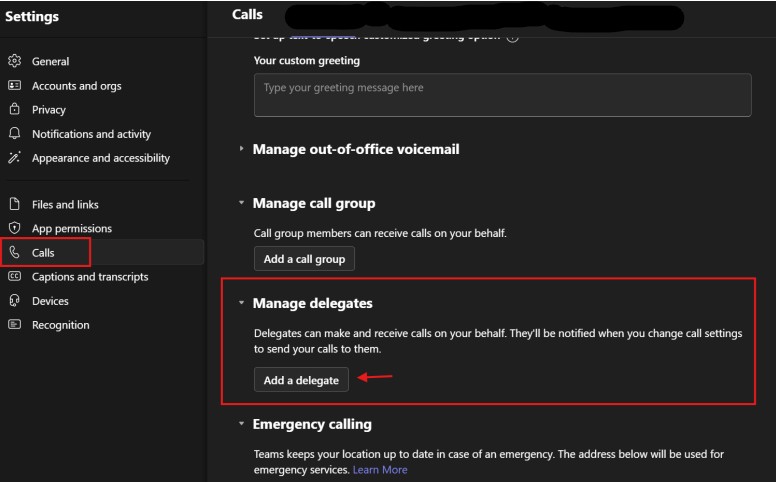
- Type the person's name or username in the Add a delegate box

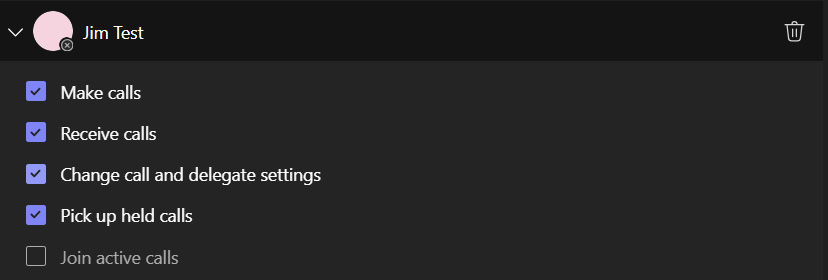
- Once the desired individual is selected, choose the desired permissions you will grant
- After granting permissions, go back to the Calls settings page.
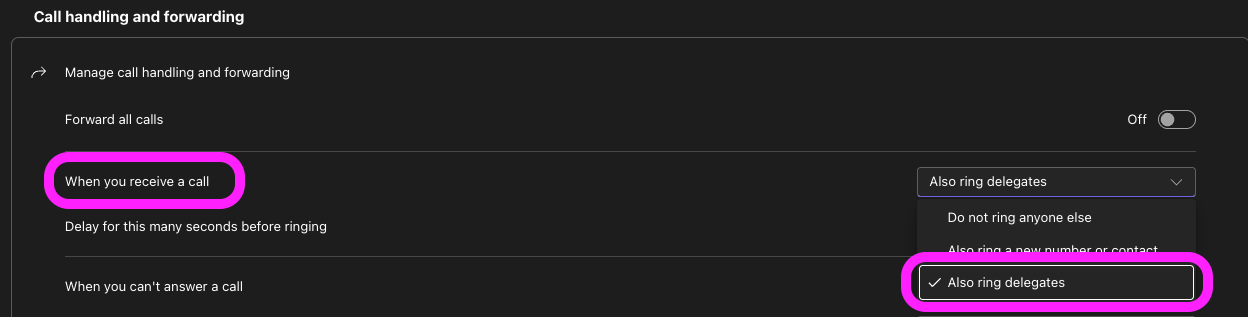
- Under Call handing and forwarding, look for the When you receive a call setting and select Also ring delegates from the drop-down menu.
- This setting ensures your calls will ring for your delegates each time you receive a call.
- Additional Information
- Your delegate will receive a notification about their new status
- Delegates will be able to see when you are on a call and with whom
- Any calls for you (or on your behalf) can be put on hold or resumed by you or your delegates
- You will be able to see the calls made and received on your behalf
Removing a delegate
- Repeat the steps above, click the Trash icon next to the delegate name
